Showing posts with label nuance. Show all posts

Tuesday, March 1, 2016

KnowBrainer 2016 Add on for Dragon


KnowBrainer 2016 is a third-party command utility that adds thousands of commands and numerous capabilities to Dragon, simplifies the learning curve and substantially increases your efficiency. KnowBrainer can even utilize built-in Windows speech recognition commands like DISPLAY Numbers which numbers every possible mouse click position so that you can left click, right click or double click any position with a single command. By comparison, the Dragon's MouseGrid command only works on 1 computer screen and can require up to 5 additional commands. From a command point of view, KnowBrainer is vastly superior to professional versions of Dragon which utilizes an older, limited and much slower command technology. KnowBrainer also includes an interactive ultra-dynamic sidebar that displays all available commands and doubles as a Command Browser. You can find or open any KnowBrainer command by saying FIND COMMAND or EDIT COMMAND .  Example: Say Edit Command to open the KnowBrainer Paragraph command for editing. By comparison, the sluggish Dragon Learning Center (sidebar) is static and only displays a partial list of commands.

KnowBrainer includes 65 open ended vocabulary commands (utilizing any vocabulary word/s), for Dragon 13 and higher, such as Google For , Search Contacts for , Spanish Translation for and Search Computer for .

Dragon can only be used to directly dictate in less than 1% of applications. Non-Dragon friendly applications require opening the Dictation Box, dictating and then transferring your dictation to the target application. The KnowBrainerInsert command enables direct dictation in any field or application that accepts typing. Example: Say Insert   to type "my dog has fleas" ANYWHERE!

KnowBrainer includes our patented ability to verbally create VB, DVC & .Net commands which is 10 times faster than typing but we didn't stop there. We kicked it up a notch by adding 3 groundbreaking commands that create VB scripting and boilerplate text commands automatically. You can now create Advanced-Scripting commands without any scripting or programming knowledge. For example, if you want to create a command that will click on a button or menu called, for example, Widget, simply hover the mouse over any button or menu and say something like New Mouse Command Called . KnowBrainer will record X & Y coordinates, create, name and save your Visual Basic Scripting command in less than 2 seconds. KnowBrainer includes a similar command creation function based on the previously mentioned DISPLAY Numbers command (detailed in our KnowBrainer Manual). You can voice automate any application within a few minutes. To create a fast boilerplate text command highlight a paragraph and say New Text Command Called . We like to think of KnowBrainer 2016 as Dragon hamburger helper. Dragon is the beef and KnowBrainer is the helper J  

Click
KnowBrainer 2016 PowerPoint Presentation for additional details. Note that the current PowerPoint presentation is limited to KnowBrainer 2015 but will be updated soon.                             


Other new features include extensive help files, the ability to create Advanced Scripting commands in VB or .Net and much faster command deployment (twice as fast as Dragon commands and previous versions of KnowBrainer).

KnowBrainer 2016 is only available in ENGLISH and only includes limited functionality for non-English versions of NaturallySpeaking . KnowBrainer 2016 is compatible with Windows 7 32-bit & 64-bit and Windows 8 operating systems.   


KnowBrainer Features:
  • Adds thousands of commands to NaturallySpeaking
  • Fixes numerous NaturallySpeaking bugs and design flaws
  • Simplifies the learning process by combining basic multi-step commands
  • Works with all versions of NaturallySpeaking from Preferred on up.
  • Includes step-by-step (with pictures) installation and training guide for both NaturallySpeaking and KnowBrainer
  • Allows hands-free use of your computer
  • Customers typically report the elimination of 25% or more of their labor costs when adding KnowBrainer to NaturallySpeaking.
  • Our exclusive Command Browser allows you to copy, edit or create your own Advanced-Scripting commands for an even greater reduction in labor costs
  • The ability to delete or toggle off any command
  • VerbalBasic: Our patent pending ability to create commands verbally
  • Includes our exclusive VerbalBasic (command writing) training guide
If you make a major part of your living from your computer, we still recommend purchasing NaturallySpeaking Pro (with KnowBrainer 2016) over Standard/Home and Preferred/Premium because Pro has numerous advantages over Premium.
One of the main reasons why customers pay up to 6 times the price of the Home Edition for NaturallySpeaking Professional/Medical/Legal is for it's command capability. For those who cannot afford the professional versions of NaturallySpeaking there is finally an affordable solution; NaturallySpeaking Premium with KnowBrainer.
 
If you want the world's best speech recognition engine but cannot afford or justify the price of Pro 13, there is FINALLY an affordable second, more affordable option.

New KnowBrainer 2016 Sidebar


Thursday, September 4, 2014

Dragon NaturallySpeaking Professional 13 Released


Dragon NaturallySpeaking Professional 13 http://www.knowbrainer.com/NewStore/pc/viewCategories.asp?idCategory=28 was released this morning and Nuance has decided to temporarily sell upgrades from Pro 11/12 at the lowest introductory price ever (normally 299.99 now 149.99). They have also extended this low pricing (normally 399.99 now 199.99) to Premium 11/12/13 to Professional 13 upgrades. This pricing is good through September 2014. If you missed our 16 page review you can read it here http://www.knowbrainer.com/index.cfm/wiki/dragon-naturallyspeaking-13-review


Tom Hamilton
Nuance Gold Certified & BBB Accredited
KnowBrainer Speech Recognition Forums http://www.knowbrainer.com/forums/forum
KnowBrainer.com http://www.knowbrainer.com
support@knowbrainer.com

Saturday, July 26, 2014

Dragon NaturallySpeaking 13 Review

The following review covers the ver. 13 editions of DNS Home, Premium, Pro and Legal. This review will be subject to revisions/updates as we continue working with the application, or in the event Nuance releases a service release patch. DMPE 3 (Dragon Medical 13) is not likely to be released until mid-2015. At that time we will create a separate review. Nuance has just rolled out Dragon 13. If you would like to read our detailed 16 page review, click the KnowBrainer NaturallySpeaking 13 Review

Tom Hamilton
Nuance Gold Certified & BBB Accredited
KnowBrainer Speech Recognition Forums http://www.knowbrainer.com/forums/forum
KnowBrainer.com http://www.knowbrainer.com
support@knowbrainer.com

Wednesday, July 9, 2014

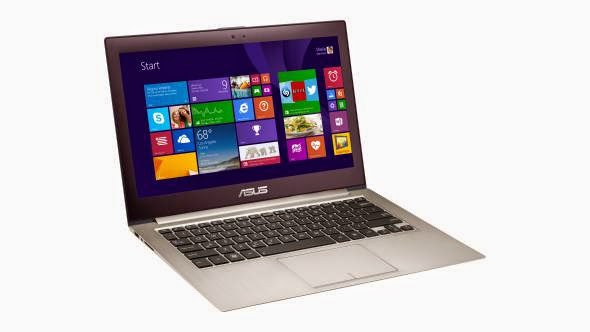
Installing Dragon Medical on Ultrabooks


A lot of laptops are coming without DVD drives these days, like the super-thin ultrabooks or Microsoft’s new Surface Pro 3. Apples Macbook Pro is another example of a highly popular machine with no DVD drive.


Ultra-thin laptops are great. They're light, super portable, and can handle almost any modern task you throw at them. They don't come with DVD drives inside, but the fact of the matter is that most of us rarely use disc drives these days. That said, there are still situations in which they can come in handy—like when you're trying to install Dragon NaturallySpeaking or Dragon Medical, ripping one of your own CDs, or when you want to watch a movie on your laptop. A Portable USB drive is the best way to do those things without an internal disc drive.


As far as purchasing your external DVD drive, your local electronics store such as Best Buy will have what you need in stock at a reasonable price. If you have a Mac, don't waste your money on Apple's $80 model. You can also get one for as cheap as $30 on Amazon or Newegg if you have time to wait. Once you acquire your unit simply plug it into your USB drive, pop in your copy of Dragon NaturallySpeaking or Dragon Medical and you're ready to begin installation. As an added bonus you can also now rip CDs to iTunes, play DVDs, and even boot from the drive if you need to run Linux or reinstall Windows.


In the end, if you're going to purchase a computer with no disk drive (which makes perfectly good sense these days since online stores like iTunes, Amazon, and Netflix provide us with most of our media), you really should consider spending the extra $30 on an external USB DVD drive.
 
Tom Hamilton Nuance Gold Certified & BBB AccreditedKnowBrainer Speech Recognition Forums http://www.knowbrainer.com/forums/forum
KnowBrainer.com http://www.knowbrainer.com support@knowbrainer.com

Friday, June 20, 2014

Speech Recognition News - New Microphone Released by Speechware Hitting US market 6/2014


Whether you're using speech recognition or planning on it you'll want to know about this microphone. The three most important things are accuracy, noise cancellation and comfort and the new SpeechWare FlexyMike Dual Ear Cardiod  brings them all to the table. This is not another microphone designed for a different purpose such as singing or whispering that happens to work with speech recognition, this microphone was designed for speech recognition including but not limited to Dragon Medical, Dragon NaturallySpeaking (Premium, Professional and Legal, Windows Speech Recognition and Siri.


The FlexyMike Dual Ear Cardioid – DEC, is a lightweight (about 25 g./0.9 oz.) stainless steel headset microphone designed specifically for accurate, noise cancelling and comfortable speech recognition dictation, and other Voice dependent applications. Manufactured in the style of a traditional headband, the frame is covered with injected rubber protectors that covers both ears for maximum working comfort. An extremely flexible gooseneck and cardioid microphone, enables the consistent positioning of the microphone capsule and superior recognition accuracy with Dragon NaturallySpeaking. Special bundled Adapter for connection of the headset to iPhone/iPad/Android (CTIA recent models) Smartphones and Tablets. The cardioid capsule excels in delivering exceptional voice clarity with outstanding background noise rejection, making it especially suitable for mobile users and notebooks or tablets, especially when used with the SpeechMatic USB MultiAdapter for maximum performance.


To take full advantage of this microphone we strongly suggest adding a USB sound card.
 

Features:

  • Headband style / wearing style is behind the neck and over both ears.
  • Ultra Lightweight and most comfortable design for extended periods of dictation.
  • High noise rejection cardiod microphone capsule.
  • Rubber ear protectors / Flexible stay in place microphone boom.
  • Short 1.5 m shielded cable for notebooks, laptops, and tablets.
  • Long 2.5 m extension cable for Desktops.
  • Spare windshield.
  • Special iPhone / iPad / Android CTIA cable

Technical Specifications:

  • Back Electret Condenser Element
  • Unidirectional Cardioid Polar Pattern
  •  Frequency Range: 50Hz ~ 18,000Hz
  •  Sensitivity: -66dB ± 3dB (0dB=1V/µbar@1KHz)
  •  Impedance: 1.500Ω ± 30% @ 1KHz (RL:2.2K, DC:1.5V)
  •  Operating Voltage: 1V – 10V
  •  Connector: standard 3.5 mm mono gold-plate plug
  •  Agency Approvals: FCE, CE, BC, IC
Tom Hamilton
Nuance Gold Certified & BBB Accredited
KnowBrainer Speech Recognition Forums http://www.knowbrainer.com/forums/forum
KnowBrainer.com http://www.knowbrainer.com
support@knowbrainer.com

Monday, May 19, 2014

Dragon Medical Practice Edition VS. Dragon NaturallySpeaking Premium / Professional


                  VS.


At least once a day, someone asks us what the differences are between DMPE 2 (Dragon Medical) and lower-priced versions of Dragon such as NaturallySpeaking Professional or even Premium. The price gap between DMPE 2 and Premium is significant but so is the accuracy and features. Click Dragon Medical vs NaturallySpeaking http://www.knowbrainer.com/index.cfm/wiki/comparing-dragon-medical-dmpe-2-to-dragon-professional-premium/ to see why Dragon Premium is a false economy for physicians.